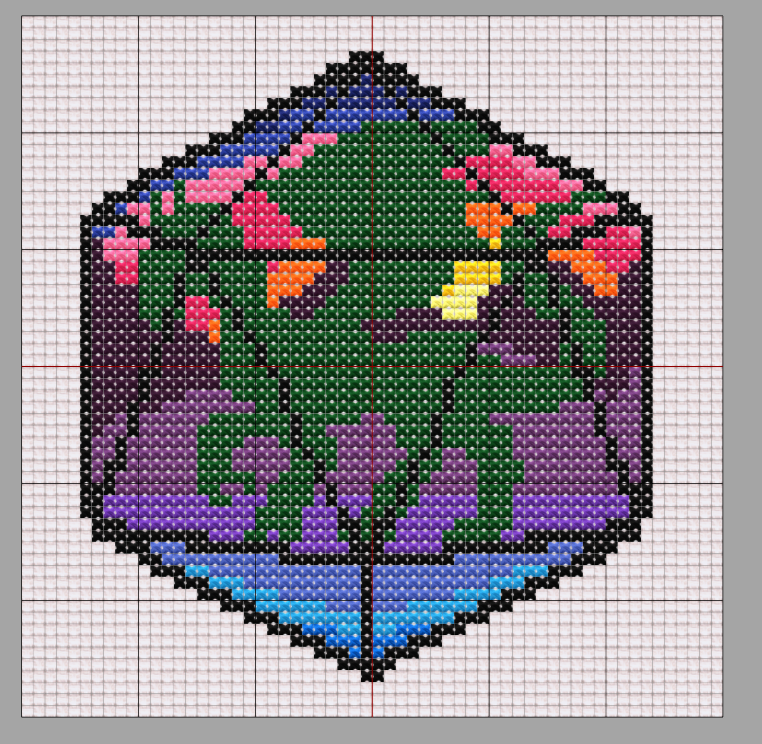
Do you remember way back when, when I posted the pattern for the dragon die I made for cross stitch? The pattern was… a bit of a mess. It’s readable for sure, and I used it to produce a valid cross-stitch work. But for sharing? For downloading for apps? Kinda messy. I was looking around for software that would let me turn it into a pattern and I found StitchFiddle which mostly worked.
The problem with StitchFiddle (and most other software) is twofold. Threefold if you include the learning curve. The first problem is that the patterns I’d previously made, like the aforementioned dragon die, included grid lines so I could, you know, read them. Well, that made it really tough for computers to read them because unlike a human, the did not block out the grid lines. Nor did it ignore the white backgrounds. Which resulted in patterns that looked like this:
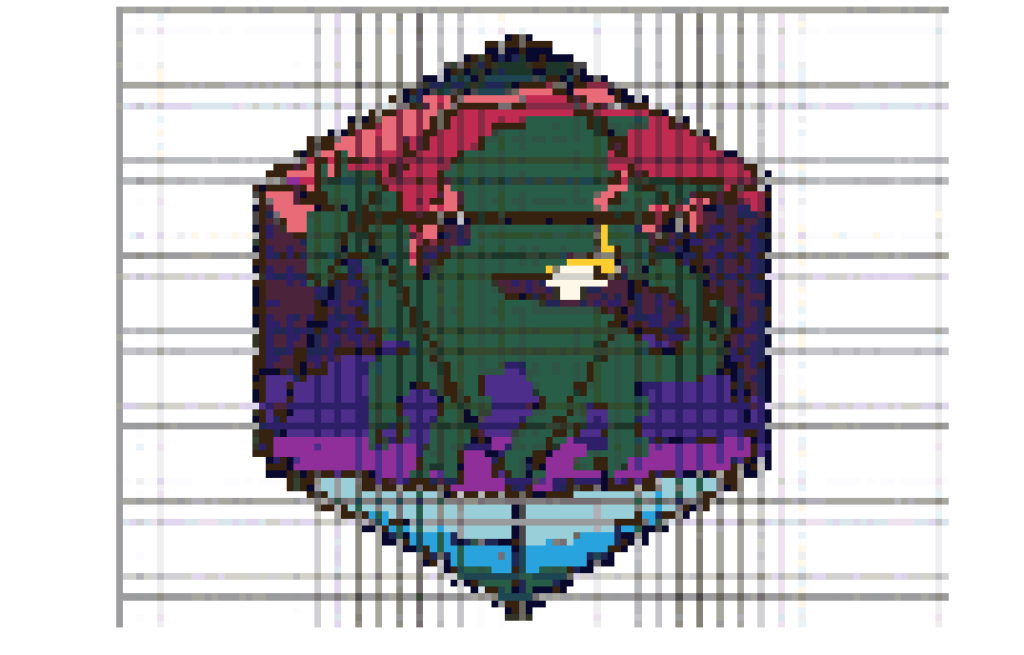
Which is 150 stitches wide. And uses 45 colors of floss. As opposed to the original which used 13 colors and spanned a little less than 60 blocks. Admittedly, it was able to convert some of my more complex pictures if I fiddled with resolution, number of colors, and so on, like so:

(which is from my Candyland set) (please pardon the sideways). Pixel art it could get pretty well, though it sometimes tried to oversize that as well. I wasn’t best pleased with its pixel imports, since cross stitch is, essentially, slow analog pixel art and should therefore translate 1:1 to cross stitch. But none of those competed with the other problem–
It locked a lot of the features behind a paywall. Now, I don’t begrudge them their right to get paid for their software but for pete’s sake why does it have to be subscription based? I’d rather pay $15 once than $3 for five months or maybe more or less. And there was one of my charts that I made on there, using their stuff, that insisted that I had a feature set that was only permissible for premium but I could not find it nor could I find a way to switch it off. That’s the point at which I stopped using it.
Well, now I’ve landed on flosscross.com. Pros: It has an option to click “pixel art” on import and that comes in 1:1, ignoring the background. It has a paint option that works pretty well for me. It has export options that work for the PatternKeeper app which I use on my phone to keep track of where I am. Also it’s free. Cons: it only lets you save 3 patterns at a time, which once you’re done and have downloaded one, not a huge problem. It’s mildly clunky on the paint side but nothing I can’t deal with. It also as far as I can tell only has one mode of display, imitating cross-stitched threads, that I find mildly distracting when using a digital medium. (see featured image) (Guess what I found about 10 hours after this was posted? I figured out how to change the display. Excellent.)
I came upon this while attempting to recreate a pattern I found on Etsy. It wasn’t “ooh, this person made a cool pattern and I want it without paying,” it was “Here, buy this finished piece” and I said “Oo, cool, I would love to make that! Anyone have a pattern? …Anyone? …anyone?” but no so I made it myself. Due to not being sure of the legality I’m not going to share that pattern, but I will share the dragon die pattern I made. That one I know is mine to share as I like.
Now why am I posting about all this? Well, partly in case anyone is looking for a similar program. Partly because I want to share a better pattern without going back and editing the first post. And partly because knowing your tools, knowing your software, knowing what you’re working with, and so forth, smooths your way for production. That’s one reason it can be hard to change the format you use when writing or doing any other process; sure, a new software or procedure might be easier, might be more efficient, you might even like it better later, but the process of learning slows your progress in what you want to actually be making for a while. And yet, taking the time to learn can save you time in the long run. Can. It’s sometimes a risk because it might turn out your original method does actually suit you better. But if you know what you want out of a system/process, taking the risk to switch could well be worth it.
And now without further ado:
(Sorry the color one wouldn’t upload. But the black and white one is available! If you want the color one, comment or get hold of me else-how and I’ll send it to you.)
Intellectual Property of Elizabeth Doman
Feel free to share via link
Do not copy to other websites or skim for AI training
Wow, this is a super popular post! 7 comments in the 3 hours since it’s been up! Too bad they’re all spam trying to convince me to buy something or go to sketchy websites. Do those even work?
I realized it wasn’t against the law to mark my cloth and that’s making my cross-stitching easier. I know I have to be careful with light colors, but maybe I won’t miscount as often 🤪
Good luck with the spam!
FYI, there is pregridded adia cloth available at 10 stitch grids, though note that it does fade if you don’t use it, as my wife found in her stash recently of extra fabric.
Another trick is to use loosely stitch lengths of coloured fishing line (monofilament), at least to mark the edges of the project.
And look up counting pins, they don’t have to be fancy, though you can make them as fancy as you want (wife did that as part of Xmas gift to her sis, fancy beads on corsage pins). Use them to mark 10s as you count.
There are so many scams hitting the stitching community, too many are sufficiently clueless about protecting themselves that they’ve been easy pickings. Many stitchers grew up pre-digital, and only got a handbrain for the software for the really big patterns, such as the large, full coverage, Heaven And Earth Designs.
Too many shops on Etsy are copyright infringers, so be cautious of them, and find out more about the designer before buying from them. If you don’t have a sense of it being a real stitcher/designer, pass on it as it is likely a con of some sort, even if it is just theft of the pattern from elsewhere.
Past a certain size, phone size handbrains just don’t cut it to see enough of the design, and need a larger tablet.
lol, it’s not even stitching stuff. “I’m having fun playing Game98! Play Game98” by user “[email protected]” Or even better, comment “lkxknv,xcvwoeklkjslkmnxkj”
Edit: the last 3 (from today) have all been advertising online casinos. Yaaay.
Like… Why.
Also my least favorite thing on Etsy right now is AI made patterns. So many. At least I can zoom in on the cross-stitch ones and realize they’re not pixelated and don’t even match the weave of the cloth, but the crochet ones are harder to catch.